 Add to Chrome
Appointments
Government booking pages release slots without warning and take them back just as fast. Watching for available beats refreshing by hand — see how to monitor appointment availability.
A Chrome website monitor runs where the page does — in your own browser. Pick a page, tell AutoRefresher what to watch for, and get an alert the moment it changes.
Every check happens on your machine. AutoRefresher reloads the page in your own tab, reads the result and compares it against what it saw last time. Nothing is uploaded and no account is created, so there is no quota to run out of.
Add to Chrome — It’s FreeUnlimited pages. Unlimited checks. No account.
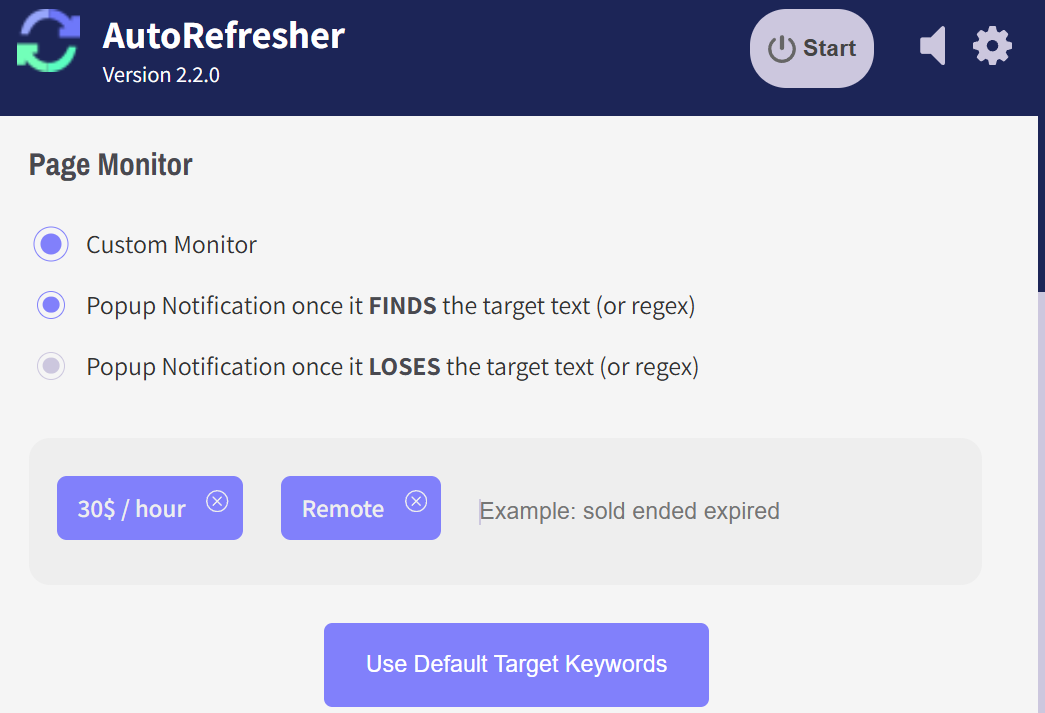
AutoRefresher watches one tab at a time and reloads it on your interval. After each reload it reads the page and compares it to the previous copy, so it can track website content automatically without you sitting there doing it.
Open the tab you want watched and start a process on it. Each tab keeps its own settings, so watching one page does not touch any other.
Type the words that matter — in stock, appointment available, a price. Every reload gets checked against them.
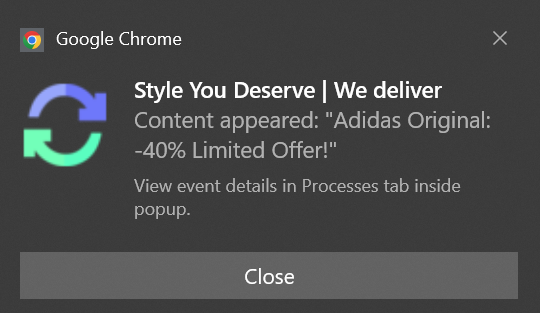
When the text turns up, a browser notification fires. Nothing to check back on, and nothing waiting in an inbox.
Auto refresh alone will go down to a second. Monitoring asks for a little more: after every reload the page has to be read and compared, and on a very large page that scan is the slow part. Three to five seconds is the realistic floor once you are monitoring a heavy site — not a limit imposed on you, just how long the work takes. Small pages sit comfortably below it.
Set it once and it keeps going — the point is to automate page monitoring, not to replace one chore with another.
A page can change in a hundred trivial ways — a timestamp, a rotating banner, an ad slot. Text detection is how you say which change you actually care about. Give AutoRefresher a word or a phrase and it only tells you when that phrase appears.
That is the difference between a monitor that alerts you constantly and one you can leave running. The comparison happens on the page in your tab, so the phrase you are watching for never leaves your browser.
The alert is a normal Chrome notification — the same one your other extensions use. It arrives whether or not the tab is in front, and whether or not Chrome is the window you are looking at.
No email digest, no dashboard to log into, no app on your phone waiting for a push. The page changed, and you know.
Government booking pages release slots without warning and take them back just as fast. Watching for available beats refreshing by hand — see how to monitor appointment availability.
A sold-out page and an on-sale page differ by a few words. Set those words as the target and track ticket drops without staring at the tab.
New postings appear at no particular hour. Watch the board for the title you want and monitor job postings while you get on with something else.
Monitoring pairs with the other half of the extension — set an automatic page refresh on the same tab and the page reloads on your schedule while the monitor watches what comes back.
Most page monitors are free until you use them. You get a handful of watched pages, a check every few hours, and a payment form the moment you want either number to go up. The quota is the product.
There is no tier above the one you install. No page limit, no check limit, no account, no ads. AutoRefresher is a free website change detector that costs nothing because there is nothing on the other end to pay for — no servers running your checks, because your browser is already running them.
Add to Chrome — It’s FreeOpen the page, start a process on that tab, and give it the text you want to look out for. AutoRefresher reloads on your interval and checks each result against it. That is the whole setup — there is no account step and nothing to configure on a server.
Chrome’s own notification system handles it. When the target text turns up you get a desktop notification, whether or not that tab is in front and whether or not Chrome is the window you are using.
No. The monitoring runs in the tab, so the tab has to stay open — it can be in the background, in another window, or behind whatever else you are doing, but it cannot be closed. That is the trade for having no server: nothing keeps watching on your behalf while you are away.
Onto your own machine and no further. AutoRefresher keeps a copy of the page in your browser’s own storage so it has something to compare the next reload against, and that copy never leaves the browser. There is no account attached to it and no server of ours that ever sees it.